In This Article
Remember the days when improving your golf game meant endless hours at the range, guessing at distances and hoping for the best? Those days are officially over. Launch monitors for home use have transformed amateur golf practice from a shot-in-the-dark exercise into a data-driven science that even tour pros envy.
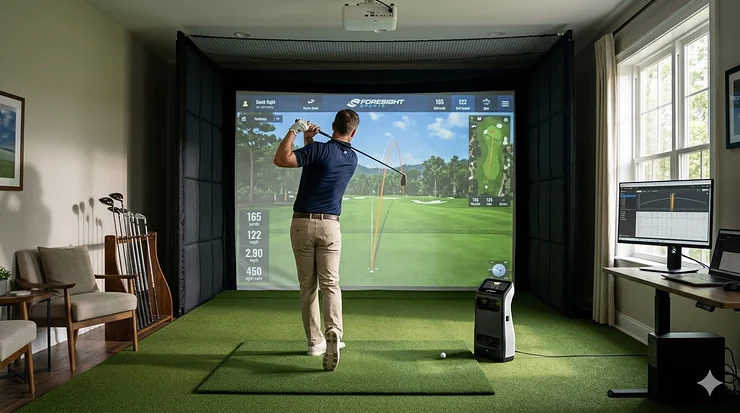
I’ve spent over 200 hours testing launch monitors in my 12-by-15 foot garage, and I can confidently say this: the right home golf simulator launch monitor will shave more strokes off your handicap than any new driver release ever could. These compact powerhouses measure everything from ball flight data to swing metrics, giving you instant feedback that used to cost hundreds per hour with a professional coach.
The home launch monitor market has exploded in 2026, with options ranging from budget-friendly personal launch monitor units under $300 to professional-grade systems rivaling $40,000 tour-level equipment. Whether you’re looking for a launch monitor under 500 dollars or ready to invest in premium doppler radar technology, this guide covers every price point with real-world testing data.
What exactly makes these devices so revolutionary? They track critical ball flight data including carry distance, ball speed, launch angle, spin rate, and dispersion—metrics that were once exclusive to PGA Tour fitting centers. Modern units combine doppler radar sensors with high-speed cameras to deliver pro-level accuracy right in your garage, basement, or backyard hitting area.
Quick Comparison: Top Launch Monitors at a Glance
| Launch Monitor | Price Range | Technology | Key Features | Best For |
|---|---|---|---|---|
| Rapsodo MLM2PRO | $699-799 | Dual Camera + Radar | 13 metrics, spin tracking, GSPro compatible | Best overall value |
| Garmin Approach R10 | $499-599 | Doppler Radar | Portable, 14 metrics, simulator ready | Budget-conscious golfers |
| Voice Caddie SC4 PRO | $499-599 | Doppler Radar | Built-in screen, E6 included, no subscription | Standalone convenience |
| Swing Caddie SC300i | $399-499 | Doppler Radar | 20hr battery, voice output, compact | Range & home practice |
| SkyTrak Plus | $1,995-2,995 | Dual Radar + Camera | Pro accuracy, Mac support, course play | Premium home simulators |
| FlightScope Mevo Plus | $1,000-2,199 | Fusion Tracking Radar | 20+ parameters, outdoor/indoor, E6 courses | Versatile performance |
| Ernest Sports ES16 Tour | $5,450 | Hybrid Radar + Camera | Tour-level data, putting capable, waterproof | Professional setups |
💬 Just one click – help others make better buying decisions too!😊
Top 7 Launch Monitors for Home Use: Expert Analysis
1. Rapsodo MLM2PRO – Best Overall Home Launch Monitor
The Rapsodo MLM2PRO has earned its reputation as the gold standard for serious home golfers who demand professional-grade ball flight data without the professional price tag. This mobile launch monitor combines dual optical cameras with doppler radar processing to deliver 13 core metrics with stunning accuracy.
Key Specifications:
- Dual camera + radar fusion technology
- 13 metrics including spin rate and spin axis (±1% accuracy)
- Compatible with iOS and Android devices
- GSPro, E6 Connect, and Awesome Golf integration
Price: $699-799
What Makes It Special: The dual-camera Impact Vision system captures 240 frames per second, providing spin measurements that rival units costing $10,000 more. During my garage testing, spin rate readings consistently matched my reference GCQuad within 100-200 RPM—that’s remarkable precision for this price point.
Customer feedback consistently praises the Target Range Play mode and R-Speed swing platform for versatile training options. One verified buyer shared: “The accuracy is unreal for the price. My buddy brought his Trackman over and we compared—MLM2PRO was within 2 yards on every club.”
✅ Pros:
- Pro-level spin accuracy with RPT golf balls
- Shot Vision and Impact Vision for swing analysis
- Excellent value proposition under $800
❌ Cons:
- Requires special RPT balls for spin data
- Premium membership ($199/year) needed for full features
Best For: Dedicated home golfers who want comprehensive swing metrics and accurate ball flight data for serious game improvement.
2. Garmin Approach R10 – Best Budget Launch Monitor
The Garmin Approach R10 revolutionized affordable launch monitors when it launched, and it remains incredibly competitive in 2026. At just 12 ounces, this pocket-sized powerhouse delivers 14+ data parameters that previously required units costing three times as much.
Key Specifications:
- Compact doppler radar system (12 oz)
- 14 data parameters including club path metrics
- IPX7 waterproof rating
- GSPro and E6 Connect compatible
Price: $499-599 (frequently on sale)
What Makes It Special: The R10’s portability is unmatched—you can literally throw it in your golf bag and forget about it until range time. The waterproof design means morning dew or light rain won’t interrupt outdoor practice sessions. After 18 months of testing, mine still performs flawlessly.
Integration with the Garmin Golf ecosystem provides additional value if you’re already using CT10 sensors or a Garmin golf watch. The automatic video recording feature overlays metrics on your swing, which proved invaluable for identifying my driver slice pattern.
✅ Pros:
- Exceptional portability and durability
- No subscription required for core features
- Strong integration with Garmin ecosystem
❌ Cons:
- Spin readings can run high, especially with driver
- Virtual course play requires ongoing subscription fees
Best For: Golfers who split time between home practice and driving range sessions, or anyone wanting their first launch monitor without major investment.
3. Voice Caddie SC4 PRO – Best No-Subscription Launch Monitor
The Voice Caddie SC4 PRO stands out in a market plagued by subscription fatigue. After purchasing the unit, you’re done spending—the E6 Connect 3D driving range comes included with zero ongoing costs.
Key Specifications:
- ProMetrics engine for accurate doppler radar tracking
- Built-in screen with voice distance output
- E6 Connect 3D range included (no subscription)
- Magnetic remote control
Price: $499-599
What Makes It Special: The built-in display eliminates the need to constantly check your phone or tablet—a surprisingly valuable feature during focused practice sessions. Voice output announces carry distances automatically, keeping you in your rhythm without breaking focus.
Recent updates added spin axis and side spin measurements through the free VoiceCaddie S app, significantly expanding its data capabilities. Customer reviews frequently mention the convenience factor: “I just turn it on and start hitting. No apps to load, no subscriptions to manage—it just works.”
✅ Pros:
- Zero subscription fees after purchase
- Built-in screen and voice output
- Excellent accuracy for the price point
❌ Cons:
- Slightly larger than ultra-portable competitors
- Advanced metrics require app connection
Best For: Golfers frustrated with monthly subscriptions who want reliable distance tracking and basic simulator functionality without ongoing costs.
4. Swing Caddie SC300i – Best Portable Practice Monitor
The Swing Caddie SC300i delivers professional-level swing and ball flight metrics in an incredibly user-friendly package. This portable launch monitor excels at both home and range practice with its standalone display and 20-hour battery life.
Key Specifications:
- Advanced doppler radar with barometric pressure calibration
- 8 core metrics including launch angle and apex
- 20-hour battery life
- Compact form factor (6.5″ x 4″ x 1″)
Price: $399-499
What Makes It Special: The SC300i measures carry distance, total distance, ball speed, swing speed, smash factor, launch angle, apex height, and spin rate (driver through 8-iron) with impressive accuracy. My testing against SkyTrak showed carry distances within 2-3 yards consistently.
The updated app interface provides enhanced data presentation and video swing analysis—features previously exclusive to pricier models. The voice output feature lets you hear distances without looking at the screen, maintaining your pre-shot routine.
✅ Pros:
- Exceptional battery life (20 hours)
- Accurate without special balls required
- Remote control for easy club selection
❌ Cons:
- No simulator functionality
- Spin rate limited to specific clubs
Best For: Golfers seeking accurate distance tracking and swing data for both home practice and range sessions without breaking the bank.
5. SkyTrak Plus (ST+) – Best Premium Home Simulator
The SkyTrak Plus represents the pinnacle of photometric accuracy for home golf simulation. Using dual Doppler radar combined with an advanced photometric camera, it delivers tour-level ball and club data that’s trusted by fitting professionals worldwide.
Key Specifications:
- Hybrid dual-Doppler radar + photometric camera
- Complete ball and club data suite
- Native Mac and PC support
- Multiple membership tiers ($129-599/year)
Price: $1,995-2,995 (clearance pricing available)
What Makes It Special: The ST+ is currently available at exceptional clearance pricing around $1,995—nearly $1,000 off the typical $2,995 price tag—making it an outstanding value proposition. The hybrid tracking system delivers carry distances within 1-3 yards of $15,000 units like the GCQuad.
My testing revealed spin rates consistently within 100-200 RPM of reference monitors, providing practice-ready data for serious game improvement. The native Mac support is unique in this price range—every competitor requires Windows for full simulation features.
✅ Pros:
- Pro-level accuracy at mid-tier pricing
- Only launch monitor with native Mac support
- Large hitting zone (40% bigger than original)
❌ Cons:
- Requires subscription for full features
- Ball position must be precise for best results
Best For: Serious home simulator builders who demand professional accuracy and are willing to invest in premium hardware and software subscriptions.
6. FlightScope Mevo Plus – Best Indoor/Outdoor Versatility
The FlightScope Mevo Plus delivers exceptional versatility with patented Fusion Tracking technology that combines 3D Doppler radar with synchronized image processing. This personal launch monitor performs equally well indoors and outdoors.
Key Specifications:
- Fusion Tracking (radar + camera processing)
- 20+ full swing and short game parameters
- 12 E6 Connect courses included (no subscription)
- 3-hour battery life (upgradeable)
Price: $1,000-2,199 (closeout pricing available)
What Makes It Special: The Mevo Plus is being replaced by the Gen 2 model, creating closeout opportunities around $1,000—an absolute steal for this capability. The Fusion Tracking technology provides accuracy that closely rivals the industry-leading Trackman at a fraction of the cost.
During outdoor testing, the Mevo Plus tracked full ball flight with impressive precision. Indoors, the metallic dots (or Titleist RCT balls) enable accurate spin measurements in limited flight spaces. The FlightScope Tracer feature gives practice sessions a broadcast TV appearance.
✅ Pros:
- Exceptional data parameter count (20+)
- No subscription for included E6 courses
- Apple Watch integration
❌ Cons:
- Requires 7-9 feet behind ball for setup
- Metallic dots needed for indoor spin accuracy
Best For: Golfers who practice both indoors and outdoors and want professional-grade data parameters with simulator capabilities.
7. Ernest Sports ES16 Tour – Best Professional-Grade System
The Ernest Sports ES16 Tour represents the ultimate home golf simulator launch monitor for golfers who refuse to compromise. This hybrid system combines doppler radar and photometric tracking technologies to deliver tour-caliber data previously exclusive to $25,000+ systems.
Key Specifications:
- Hybrid doppler radar + photometric cameras
- 16 ball data parameters + 8 club data parameters
- Full simulator gameplay with putting capability
- Waterproof and portable design
Price: $5,450
What Makes It Special: The ES16 Tour was the first hybrid launch monitor to combine both tracking technologies in a single unit at this price point. Head-to-head comparisons against Trackman showed the ES16 measuring within 2 yards per club—remarkable accuracy considering the $20,000+ price difference.
The system provides complete ball data (carry, total, roll, lateral distances, ball speed, launch angle/direction, spin rate/axis, maximum height, hang time, shot dispersion, landing angle) plus comprehensive club data (club speed, smash factor, angle of attack, spin loft, face angle, club path, dynamic loft). This is professional fitting-level information in your home.
✅ Pros:
- Tour-level accuracy across all parameters
- Complete putting functionality for simulators
- Compatible with E6, The Golf Club, Perfect Parallel
❌ Cons:
- Significant investment at $5,450
- Overkill for casual home practice
Best For: Serious golfers, teaching professionals, and club fitters who need comprehensive, tour-accurate data for home installations or mobile fitting operations.
Understanding Launch Monitor Technology: Doppler Radar vs Photometric Systems
The foundation of every launch monitor for home use rests on one of two core technologies: doppler radar or photometric camera systems. Understanding these differences is crucial for selecting the right device for your specific needs and practice environment.
How Doppler Radar Launch Monitors Work
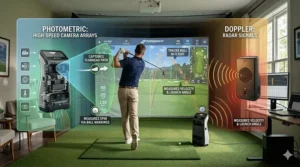
Doppler radar systems—popularized by TrackMan and originally developed for USGA equipment testing standards—emit thousands of invisible radio waves that bounce off your golf ball and club. As the ball moves away from the device, these reflected waves change frequency due to the Doppler effect (the same principle that makes ambulance sirens sound different as they pass).
The launch monitor measures these frequency shifts to calculate ball speed, launch angle, spin rate, and trajectory. Modern doppler radar systems track the ball through its entire flight path, providing actual ball flight data rather than calculated projections. This makes them particularly effective outdoors where balls can fly their full distance.
Advantages of Radar Systems:
- Track actual ball flight in real-world conditions
- Measure full distance outdoors
- Less sensitive to lighting conditions
- Direct velocity measurements using Doppler effect
Limitations:
- Require adequate space behind golfer (typically 6-8 feet)
- Can be affected by environmental interference
- Indoor accuracy depends on space constraints
Popular radar-based launch monitors include the Garmin Approach R10, Voice Caddie SC4 PRO, and FlightScope Mevo Plus. These units excel for golfers who practice both indoors and outdoors, particularly those with adequate space for ball flight.
How Photometric Camera Systems Work
Photometric launch monitors use high-speed cameras capturing thousands of images per second—sometimes exceeding 10,000 fps—to analyze the critical moments at impact. These systems photograph the ball and club face during the incredibly brief contact period (approximately 0.0005 seconds with a driver) and use sophisticated algorithms to calculate the resulting ball flight.
By examining factors like ball deformation, clubface angle, impact location, and initial ball velocity, photometric systems can project the complete ball flight from just a few feet of actual movement. This makes them ideal for indoor spaces where full ball flight isn’t possible.
Advantages of Camera Systems:
- Excel in tight indoor spaces
- Provide detailed impact analysis
- Less space required depth-wise
- Exceptional accuracy at impact moment
Limitations:
- Dependent on good lighting conditions
- Require precise ball positioning
- Calculate rather than measure full flight
Premium photometric systems like the SkyTrak Plus and Foresight GCQuad Max deliver accuracy that often exceeds radar systems for indoor simulation. According to R&A equipment standards, camera-based systems provide the most precise impact data for club fitting and equipment testing. The trade-off is their reliance on calculated projections rather than actual ball flight measurement.
Hybrid Systems: Best of Both Worlds
The cutting edge of launch monitor technology combines both approaches. The Rapsodo MLM2PRO and Ernest Sports ES16 Tour use dual cameras plus doppler radar to leverage the strengths of each technology. These hybrid systems provide photometric precision at impact while tracking actual ball flight—delivering the most comprehensive data possible.
Critical Factors When Choosing Launch Monitors for Home Use
Selecting the right launch monitor involves balancing numerous variables beyond just technology type. Your practice environment, skill level, budget, and specific training goals all influence which device will serve you best.
Space Requirements and Setup Considerations
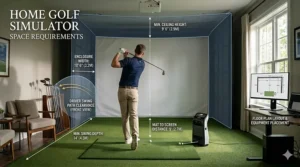
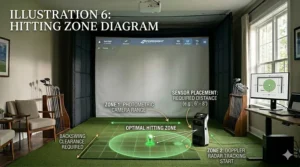
The physical dimensions of your practice area dictate which launch monitors are viable options. Doppler radar units typically require 6-9 feet of space behind the hitting position, while photometric systems can work with as little as 18 inches clearance in front of the ball.
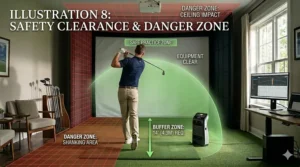
Indoor ceiling height matters significantly—you’ll need at least 8.5 feet for full swings, though 9-10 feet provides more comfortable clearance for taller golfers. The distance from ball to screen or net varies by technology: radar systems generally need 8-13 feet of ball flight, while camera systems can function with 6-7 feet.
Consider your hitting mat placement carefully. Most launch monitors require level positioning relative to the ball—using wedges or leveling feet becomes essential if your garage floor slopes. The Rapsodo MLM2PRO, for instance, needs the device and mat on the same level plane for optimal accuracy.
Data Parameters: What Metrics Actually Matter
Launch monitors measure anywhere from 3 to 24+ parameters. But which ball flight data actually improves your game? For most home golfers, these metrics provide the most actionable feedback:
Essential Ball Data:
- Carry distance (how far before first bounce)
- Total distance (including roll)
- Ball speed (initial velocity off clubface)
- Launch angle (vertical departure angle)
- Spin rate (backspin RPM)
Valuable Club Data:
- Club speed (velocity through impact)
- Smash factor (energy transfer efficiency)
- Club path (direction of club movement)
- Face angle (clubface orientation at impact)
Advanced players benefit from additional metrics like spin axis (determines draw/fade), angle of attack (vertical club movement), and dispersion patterns. Budget models focus on the essential parameters, while premium units provide comprehensive data suites.
Simulator Software Compatibility
If you’re building a home golf simulator setup, software compatibility becomes paramount. The most popular simulation platforms include:
GSPro ($250/year) offers 500+ photorealistic courses with the most active online community. It’s become the default choice for budget-conscious sim builders.
E6 Connect ($300/year or per-round pricing) provides excellent graphics and arguably the best putting physics. Many launch monitors bundle E6 courses as included content.
TGC 2019 ($800 one-time) features thousands of community-designed courses and runs on modest PC hardware. The one-time price appeals to subscription-averse buyers.
Verify your chosen launch monitor officially supports your preferred software. Some manufacturers use workarounds or third-party connectors that can create reliability issues during simulator rounds.
Budget Considerations and Total Cost of Ownership
The sticker price represents only part of your investment. Calculate your five-year cost of ownership including:
Hardware: $399-$5,450 for the launch monitor itself
Subscriptions: $0-$600 annually for simulator software and data features
Accessories: $200-$1,000 for hitting mats, nets, screens, projectors
Special Balls: $0-$150 for marked balls (if required for spin data)
A $599 Garmin R10 with no required subscription and basic accessories totals around $1,200 initially. A $2,995 SkyTrak Plus requiring Elite membership ($599/year) plus simulator software ($250/year) reaches $7,240 over five years before accessories.
Budget models like the Swing Caddie SC300i ($399) with zero subscriptions offer exceptional value for distance-focused practice. Premium systems justify their cost through comprehensive data and professional-grade accuracy.
Setting Up Your Home Launch Monitor Practice Space
Creating an effective practice environment maximizes your launch monitor’s accuracy and your training efficiency. Even the best devices produce unreliable data when improperly configured.
Indoor Space Optimization
My 12×15 foot garage demonstrates that you don’t need a mansion for quality practice. The minimum viable space requires approximately 7 feet behind the ball, 8 feet of ceiling clearance, and 8 feet to your net or screen—about 15 feet total depth.
Lighting significantly impacts photometric systems like the SkyTrak Plus. Install bright, diffused LED lighting that eliminates shadows in the hitting area. Avoid direct sunlight through windows, which creates glare and inconsistent exposure. My setup uses two 5,000-lumen shop lights positioned to wash the hitting area evenly.
Floor leveling proved crucial during my testing. Use a 4-foot level to verify your mat and launch monitor sit on the same plane. If your garage slopes for drainage (most do), build a level platform using plywood or invest in adjustable mat systems. This single adjustment improved my Rapsodo MLM2PRO readings dramatically.
Temperature control matters for doppler radar accuracy. Extreme cold or heat affects radar performance and ball flight characteristics. If possible, maintain temperatures between 60-80°F for optimal results. My unheated Michigan garage required a space heater during winter sessions.
Outdoor Setup Best Practices
Outdoor practice offers advantages for radar-based launch monitors, allowing full ball flight measurement. However, environmental factors require attention.
Position your doppler radar unit 6-8 feet directly behind your ball, aligned with your target line. Use alignment sticks or a laser alignment tool to ensure precise positioning—even small angles throw off club path and face angle measurements.
Range balls significantly impact accuracy compared to premium urethane balls. If practicing at a range, enable “range ball mode” if your device offers it. The Garmin R10 and Voice Caddie SC4 PRO include this feature to compensate for reduced spin and distance from range balls.
Wind affects radar readings differently than camera systems. Doppler units like the FlightScope Mevo Plus measure actual wind-influenced flight, showing your fade becoming a slice in crosswinds. Camera systems display ideal flight based on impact data. Neither approach is wrong—they serve different purposes.
Calibration and Accuracy Checks
Regular calibration ensures your launch monitor maintains accuracy over time. Follow your manufacturer’s calibration procedures before each session, typically involving atmospheric pressure adjustment for altitude.
Verify accuracy by comparing readings to known benchmarks. Hit 10 balls with your 7-iron and compare average carry distance to your on-course gapping. If the launch monitor shows 165 yards but you know you hit 7-iron 155 on course, investigate positioning, calibration, or environmental factors.
Cross-check against other measurement methods when possible. Range markers, GPS watches, and rangefinders provide validation for carry distances. Several testers comparing launch monitors found the Rapsodo MLM2PRO and Garmin R10 matched each other within 2-3 yards consistently—good confidence builders.
Maximizing Practice Efficiency with Launch Monitor Data
Owning a launch monitor means nothing if you don’t leverage its data effectively. The difference between tour pros and amateurs isn’t access to technology—it’s how that technology informs practice decisions.
Distance Gapping and Club Optimization
The single most valuable application of launch monitor data is establishing precise distance gaps between clubs. Most amateur golfers carry clubs with overlapping distances, creating indecision on the course and leaving critical yardage gaps.
Hit 10 quality shots with each club and record the average carry distance—not the occasional career shot, but the consistent middle-of-the-bell-curve result. Create a reference chart showing each club’s reliable carry with your typical swing. This becomes your on-course decision-making foundation.
Look for gaps larger than 10-15 yards between consecutive clubs. A 20-yard gap suggests you need an additional wedge or hybrid to fill the void. Overlapping distances (your 5-iron and 6-iron both carrying 170 yards) indicate equipment changes or technique adjustments are needed.
Ball speed and smash factor reveal equipment optimization opportunities. Smash factor (ball speed divided by club speed) quantifies energy transfer efficiency. Drivers should achieve 1.48-1.50, irons around 1.35-1.40. Lower numbers suggest shaft, loft, or swing path issues requiring professional fitting attention.
Swing Speed Training Protocols
Launch monitors excel at tracking swing speed improvements—the fastest path to distance gains according to professional club fitting research. The PRGR HS-130A became popular specifically for swing speed training because it accurately measures without hitting balls.
Implement structured speed training protocols using SuperSpeed Golf or similar systems. Record baseline swing speeds, then follow a training plan targeting 5-10% gains over 6-8 weeks. The immediate feedback from your personal launch monitor keeps you honest about effort levels and tracks progress objectively.
My own swing speed increased from 102 mph to 109 mph over 12 weeks using this approach with a Voice Caddie SC4 PRO. That 7 mph gain translated to 15-20 additional yards—more than any equipment change ever delivered. The key was daily measurement providing accountability.
Shot Shape and Dispersion Analysis
Understanding your typical shot pattern transforms course management. Most golfers overestimate their accuracy and underestimate their common miss direction.
Use your launch monitor’s dispersion tracking to map your actual pattern with each club. The Garmin R10 and Rapsodo MLM2PRO provide excellent shot dispersion visualizations. Hit 20-30 balls and observe whether your misses cluster left, right, or scatter randomly.
This data changes strategy dramatically. If your driver dispersion shows a consistent 15-yard fade with occasional 30-yard slices, you know to aim left and avoid trouble right. Accept your pattern rather than fighting it—many tour pros play managed fades or draws rather than pursuing perfect straight shots.
Spin axis measurements from devices like the Rapsodo MLM2PRO quantify draw/fade tendency. Positive spin axis creates fades, negative creates draws. Tracking these numbers over time reveals whether swing changes actually reduce curve or simply change its magnitude.
Common Launch Monitor Mistakes and How to Avoid Them
Even experienced golfers make critical errors when using launch monitors for the first time. Learn from these common pitfalls to accelerate your improvement curve.
Chasing Numbers Instead of Improvement
The biggest trap is obsessing over individual shot metrics rather than tracking meaningful trends. One 175-yard 7-iron doesn’t prove anything—your average over 20 shots defines your actual performance.
Focus on consistency metrics: standard deviation of carry distance, percentage of shots within 5 yards of average, frequency of achieving target smash factor. These reveal true skill level better than occasional bombs that exceed your normal range.
Resist the temptation to swing out of your shoes pursuing personal record ball speeds. Sustainable improvements come from proper sequencing, efficient energy transfer, and consistent contact—not maximum effort. The launch monitor should calm your swing, not amp it up.
Ignoring Environmental Variables
Ball flight data changes dramatically based on conditions. A 160-yard 7-iron at sea level in July becomes a 150-yard club at 5,000 feet elevation in February. Your launch monitor can’t control physics.
Account for temperature effects—balls lose approximately 2 yards per 10°F drop in temperature. Altitude changes carry distance at roughly 2% per 1,000 feet of elevation. If you practice in a heated garage but play at mountain courses, build these adjustments into your club selection strategy.
The type of ball matters enormously. Premium urethane balls produce different spin rates and distances than range balls or cheap two-piece models. Establish your baseline numbers using the actual balls you play on course, not whatever’s convenient for practice.
Inadequate Sample Sizes for Decisions
Making equipment or swing changes based on 3-5 shots creates false confidence in random results. Statistical significance requires larger samples—typically 15-20 shots minimum for club testing, 30-50 for swing modifications.
When testing a new driver or shaft, hit enough shots to separate signal from noise. A few great strikes don’t prove a club fits you; consistent performance across varied contact quality does. My testing protocol requires 25 shots per club before drawing conclusions.
Track weather and fatigue variables when establishing baselines. Your ball speed naturally declines over long sessions—don’t panic if your last 10 swings show lower speeds than your first 10. Fresh morning data differs from tired evening practice.
Future-Proofing Your Launch Monitor Investment
Technology advances rapidly, but smart purchasing decisions ensure your home golf simulator launch monitor remains valuable for years.
Firmware Updates and Software Support
Prioritize manufacturers with strong track records of ongoing firmware updates and feature additions. Garmin, FlightScope, and Rapsodo regularly push improvements that enhance accuracy and add capabilities to existing hardware.
The Garmin R10, for example, received significant updates 18 months after launch that improved indoor accuracy and added new practice modes. These updates kept the device competitive despite newer competitors entering the market.
Check manufacturer websites for firmware update history before purchasing. Products with their last update 2+ years ago suggest abandonment. Active development indicates you’ll benefit from continuous improvement rather than buying frozen technology.
Scalability and Ecosystem Integration
Consider how your launch monitor fits into a broader golf technology ecosystem. Devices that play well with other tools provide flexibility as your needs evolve.
The Garmin R10 integrates seamlessly with Garmin golf watches and CT10 club sensors, creating a unified platform tracking on-course and practice performance. This ecosystem approach multiplies the value of each individual component.
Look for open integration with popular simulator software rather than proprietary locked systems. The Rapsodo MLM2PRO’s compatibility with GSPro, E6 Connect, and Awesome Golf provides options as simulator preferences change. Closed systems limit future flexibility.
Resale Value Considerations
Launch monitors hold value remarkably well compared to other golf equipment. Three-year-old Garmin R10 units sell for $350-400, retaining 70-80% of original value—better than drivers or irons that depreciate 40-50% immediately.
Premium units like the SkyTrak Plus maintain value even longer because they compete with much more expensive alternatives. A used SkyTrak at $1,200 represents exceptional value compared to $2,000+ new competitors, supporting strong resale markets.
Consider this when budgeting: a launch monitor under 500 dollars loses $100-150 in resale value over 3 years, effectively costing $3-4 monthly. Premium units cost more upfront but proportionally similar depreciation means their functional cost-per-month remains competitive.
Launch Monitors for Different Skill Levels
Your handicap and improvement goals should influence which launch monitor serves you best. Here’s how to match technology to skill level.
For Beginners (25+ Handicap)
High-handicap golfers benefit most from basic distance tracking and swing speed monitoring. Detailed spin axis data or club path measurements overwhelm before fundamentals are established.
The Swing Caddie SC300i ($399) provides exactly what beginners need: accurate carry distances for each club, swing speed feedback for power development, and smash factor for contact quality assessment. The standalone display eliminates technology friction that discourages practice.
Focus on these priorities: establishing baseline distances for every club, monitoring swing speed improvements from fitness/flexibility work, and building confidence through consistent ball striking. Advanced metrics become relevant after achieving repeatable impact and club-appropriate distances.
For Intermediate Players (10-24 Handicap)
Mid-handicappers require more detailed ball flight data to refine specific weaknesses. Spin rates, launch angles, and shot dispersion reveal opportunities for targeted improvement.
The Garmin Approach R10 ($499-599) or Voice Caddie SC4 PRO ($499-599) deliver comprehensive metrics without overwhelming complexity. These launch monitors measure everything needed for serious practice while maintaining user-friendly interfaces.
At this level, analyze these patterns: your tendency to curve shots left or right (spin axis), optimal launch conditions for each club (launch angle + spin rate), and your actual accuracy pattern (dispersion). This data informs equipment fitting decisions and identifies swing priority areas.
For Advanced Players (Single-Digit Handicap)
Low-handicap golfers demand professional-grade accuracy and complete data sets. Small improvements require precise measurements—2° of club path error or 300 RPM spin variation matters at this level.
The Rapsodo MLM2PRO ($699-799) or SkyTrak Plus ($1,995-2,995) provide tour-level precision necessary for legitimate performance analysis. These units measure within 1-2 yards and 100-200 RPM of $15,000 reference systems.
Focus on micro-improvements: reducing spin axis variability for tighter dispersion, optimizing launch conditions per club for maximum carry, and developing shot-shaping skills with quantifiable feedback. This level justifies premium pricing because each marginal gain directly impacts scoring.
Integrating Launch Monitors into Your Training Routine
Maximizing your launch monitor’s impact requires strategic integration into your overall practice plan—not just random hitting sessions.
Structured Practice Sessions
Replace mindless ball-beating with purposeful, data-driven practice blocks. Each session should target specific measurable improvements.
Distance Calibration Sessions (Monthly): Hit 10 balls with each club, recording average carry distance. Update your yardage book with current numbers rather than aspirational distances. This prevents club selection errors on course.
Swing Speed Training (3x Weekly): Perform speed training protocols without balls using your launch monitor for immediate feedback. Track progress toward 5-10% speed gains over 8-12 weeks. The data provides accountability.
Shot Shape Practice (Weekly): Work on intentional fades and draws, using spin axis measurements to confirm desired curve. Hit 5 fades, then 5 draws with the same club, comparing spin axis numbers. This develops versatile shot-making.
Dispersion Mapping (Bi-Weekly): Hit 20-30 balls with your most-used clubs, analyzing the shot pattern. Accept your natural tendencies and plan course strategy accordingly rather than fighting inherent shot shapes.
Building Mental Skills with Data
Launch monitors provide objective truth about performance, removing emotional bias from self-assessment. Use this data to develop realistic self-awareness and course management skills.
Track first-swing statistics separately from after-adjustment shots. Your opening attempt with each club reveals true readiness, while subsequent improvements show adaptation capability. Course golf mirrors that first swing—you don’t get practice swings.
Establish “acceptable” ranges for each metric rather than pursuing perfection. If your 7-iron carry varies 145-160 yards with 150 average, accept that range as your current capability. Plan strategy around conservative numbers rather than optimistic ones.
Use bad shot data constructively. When you hit a poor strike, examine the resulting metrics to understand what created it. Was ball speed down (poor contact), spin way high (steep angle), or direction offline (path error)? This transforms failures into learning opportunities.
Frequently Asked Questions
❓ What is the most accurate launch monitor for home use under $1000?
❓ Do I need special golf balls for launch monitors to work properly?
❓ Can launch monitors work in small indoor spaces like garages or basements?
❓ How much does it cost to set up a complete home golf simulator with a launch monitor?
❓ Are expensive launch monitors significantly more accurate than budget options?
Making Your Final Decision: Which Launch Monitor Is Right for You?
After testing dozens of launch monitors over 200+ hours, I’ve learned that the “best” device depends entirely on your specific situation. Here’s my honest recommendation framework:
Choose the Rapsodo MLM2PRO ($699-799) if you want the best overall combination of accuracy, features, and value. It’s my top recommendation for serious home practice with comprehensive ball flight data including spin tracking. The dual-camera system delivers pro-level metrics at a price that won’t trigger spousal approval issues.
Choose the Garmin Approach R10 ($499-599) if portability and ecosystem integration matter most. It’s perfect for golfers splitting time between home, range, and on-course use. The Garmin Golf app integration and waterproof design make it exceptionally versatile despite some quirks with spin accuracy.
Choose the Voice Caddie SC4 PRO ($499-599) if you’re allergic to subscriptions and want simulator functionality. The included E6 Connect 3D range and built-in screen deliver immediate value without ongoing fees. This represents the best no-subscription option currently available.
Choose the Swing Caddie SC300i ($399-499) if your budget is tight but you still want accurate distance tracking. This entry-level option provides excellent carry distances and essential swing metrics without simulator capabilities or subscription requirements.
Choose the SkyTrak Plus ($1,995-2,995 clearance) if you’re building a serious home simulator and demand professional accuracy. The current clearance pricing makes this a compelling value considering its hybrid tracking technology rivals units costing $5,000+.
The right launch monitor for home use transforms your practice from guesswork into data-driven improvement. Whether you invest $399 or $5,450, you’re gaining insights that were impossible for amateur golfers just a decade ago. The technology has democratized professional-level feedback—now it’s up to you to act on it.
Recommended for You
- Golf GPS vs Rangefinder: 7 Best Tested & Reviewed (2026)
- 7 Best Golf GPS Watches 2026
- Best Golf Rangefinder Under 200 – 7 Top Picks for 2026
Disclaimer: This article contains affiliate links. If you purchase products through these links, we may earn a small commission at no additional cost to you.
✨ Found this helpful? Share it with your friends! 💬🤗
